Skip to content
Version 1.1 · Android · Available on Google Play

DartVoice Pro

Your darts scorer with voice input. Play X01 and Cricket with friends or face a CPU opponent at six difficulty levels. Run multi-stage tournaments, practise with Pro and follow your statistics. Game progress and history stay on your device.

Start free · Optional Pro Lifetime one-time purchase

DartVoice Pro app icon
Game modes

From your first 501 to your next darts night.

X01 with your rules

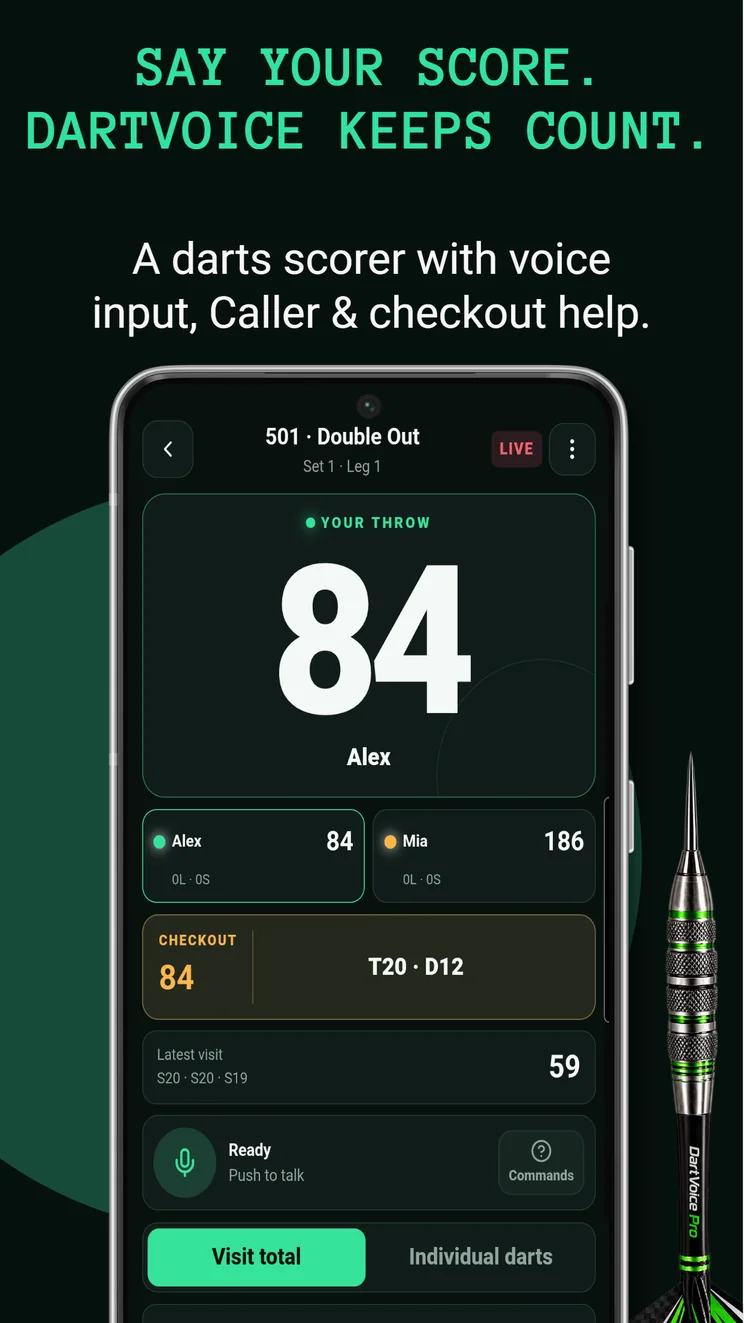
Choose 101, 201, 301, 501, 701 or 1001, straight, double or master in/out, plus legs and sets. Enter visit totals or individual darts. Checkout suggestions, bust checks and undo help you keep score. You can also play X01 solo without an opponent.

Cricket with marks and points

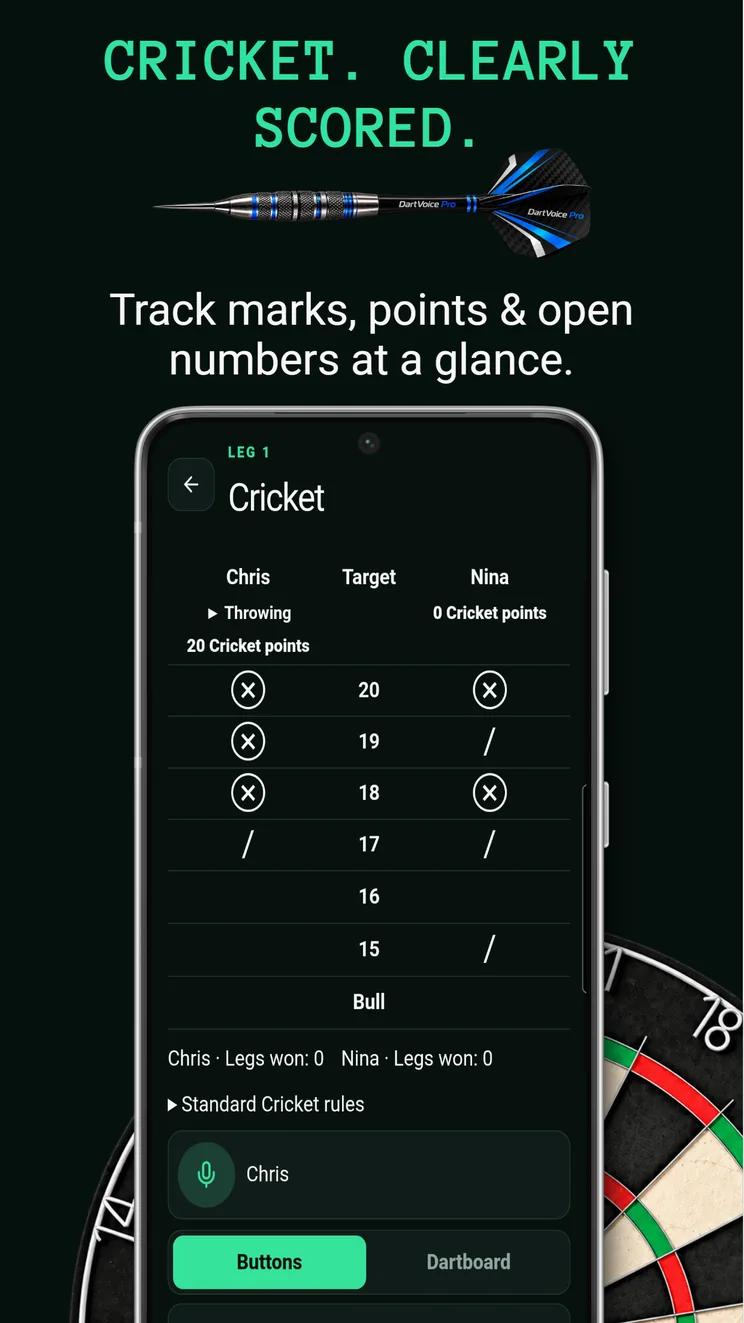
Play on 20–15 and bull. Three marks close a target; further hits score while your opponent is still open there. Enter your actual darts using buttons, the board input or voice. Without CPU, two to six people can play. Win a leg by closing all your targets with at least as many points as your opponent.

Keep the game easy to follow

Local player profiles, saved sessions and completed matches stay connected. Use undo to correct accepted visits and review the history. Free includes X01, Cricket, voice input, Caller and basic statistics.

Computer opponents · New in 1.1

Your opponent is ready.

Use your own player profile to face a virtual CPU opponent in X01 or Cricket. Both modes and all six difficulty levels are included in Free.

  1. Beginner
  2. Casual
  3. Intermediate
  4. Club player
  5. Very strong
  6. Professional

1. Choose a game

Open a new X01 match or Cricket. Enable “Play against CPU” and select your one human player profile.

2. Pick the difficulty

Choose the CPU strength and match rules. In Cricket, you can also choose whether you or the CPU starts. The selected strength is saved for that match.

3. Throw and keep playing

Record your own darts. Once your visit is saved, the CPU takes its turn automatically. Its latest hits remain visible, then play returns to you.

The levels offer different challenges without a promised average or win rate. A CPU match occupies an active session slot. CPU opponents are available for individual X01 and Cricket matches, rather than as tournament participants.

Voice input & Caller

Say the score. Stay in control.

Voice or manual entry

Start recognition with the microphone, check the recognised value and confirm the details requested. X01 accepts visit totals or individual darts; Cricket needs the actual hits. You can set the interface and recognition language separately to English or German.

Auto-listen and Mixed

Optional Auto-listen starts the next short recognition after a turn. In the X01 Live view, Mixed can switch between visit totals and individual darts. Manual entry remains available as an alternative.

Spoken feedback with Caller

The optional Caller announces players, results and remaining scores. With X01 checkout assistance enabled, it can read the displayed primary route. Spoken output and training hints are configurable.

Recognition depends on your device, speech service and surroundings. Android speech services may need internet access and process audio externally. DartVoice itself does not create raw audio files; recognised text may be stored locally with X01 throws. Auto-listen is not continuous background monitoring.

Darts tournaments · Multi-stage in 1.1

The first group is just the beginning.

Choose knockout or round robin, run a classic group tournament or configure flexible groups. Version 1.1 adds multi-stage group tournaments with qualification places you set for each group.

Plan the route to the title

Build successive group stages. Decide how many players advance from each group and move them into further groups. Finish with a final group or a knockout stage.

  1. 16 players, four groups: Each group of four plays round robin, with the top two qualifying.
  2. Eight qualifiers, two groups: Two more groups of four, again with two qualification places per group.
  3. Four finalists: Choose a final group or semi-finals and a final to decide the winner.

This 16-player example requires Pro. Free supports creating tournaments with up to eight participants; Pro raises the limit to 32. All tournament matches use X01.

Review the plan, then confirm each transition

Check participants, group assignments, qualification places and match rules in the full preview. Once saved, the plan is fixed. Results, any necessary tie decisions and confirmed qualification lead to an explicit release of the next stage. Play fixtures in DartVoice or enter external leg/set results.

An external result contains no individual darts and cannot supply an average from them. Available tournament actions depend on the saved format and progress.

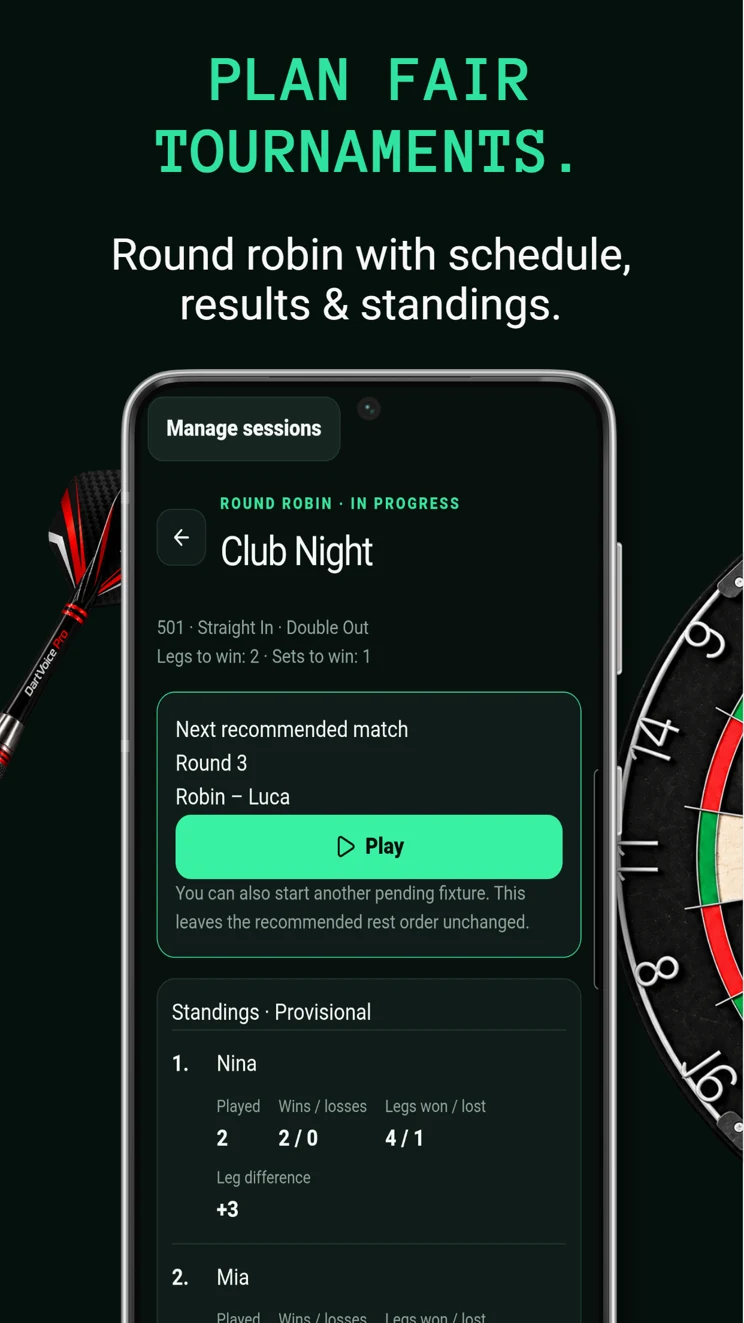
DartVoice Pro product image of a round-robin tournament showing the next fixture and standings
Round robin with a schedule and standings – one of the existing tournament formats.
Live & spectator display

A bigger score view. Control stays on your phone.

Compact X01 Live view

Enable Live Tournament Mode for two-player X01. The compact view brings together remaining scores and direct input, with an optional large player display. Choose visit totals, individual darts or Mixed to suit the game.

Relevant tournament views

In linked X01 fixtures from classic and multi-stage group tournaments, choose live score, fixtures, group standings and a knockout bracket where the tournament state supports them. Manual selection and automatic five-second rotation are available, with an option to include the live score.

The local spectator view and an independent external display are separate options. A TV or monitor needs a compatible Android Presentation display path. Select an available display and start the app's output explicitly; scoring and controls stay on your phone.

Tournament TV is not offered for every tournament format. A final group without knockout has no bracket. Support varies across televisions and SmartView connections; reconnecting may require starting the display again. Caller audio follows Android's system output route and may move to a connected device.

Five training modes with Pro

Practise the part of your game you want to improve.

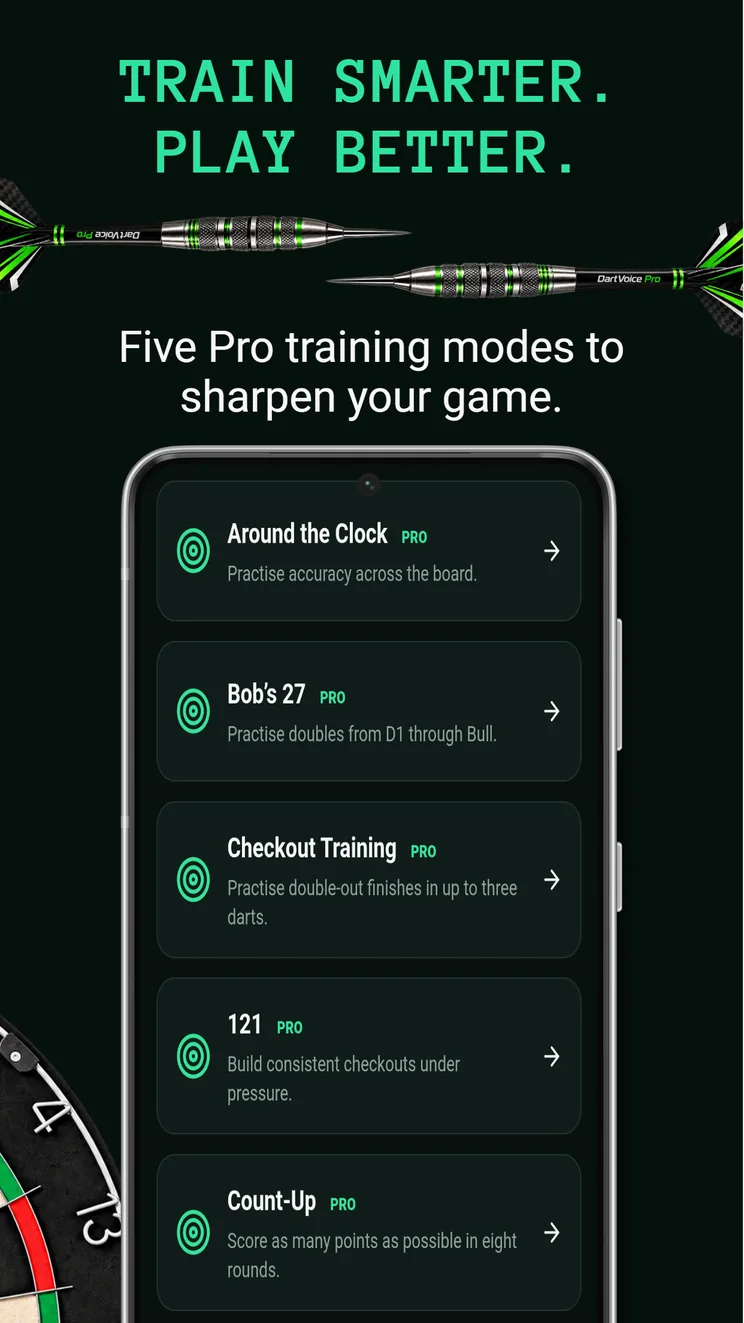
Around the Clock

Work through 1–20 and bull, one dart at a time. Play alone or with other players.

Bob’s 27

Start on 27 and practise doubles from D1 to the inner bull. Hits add to your score; a round without a hit costs points.

Checkout Training

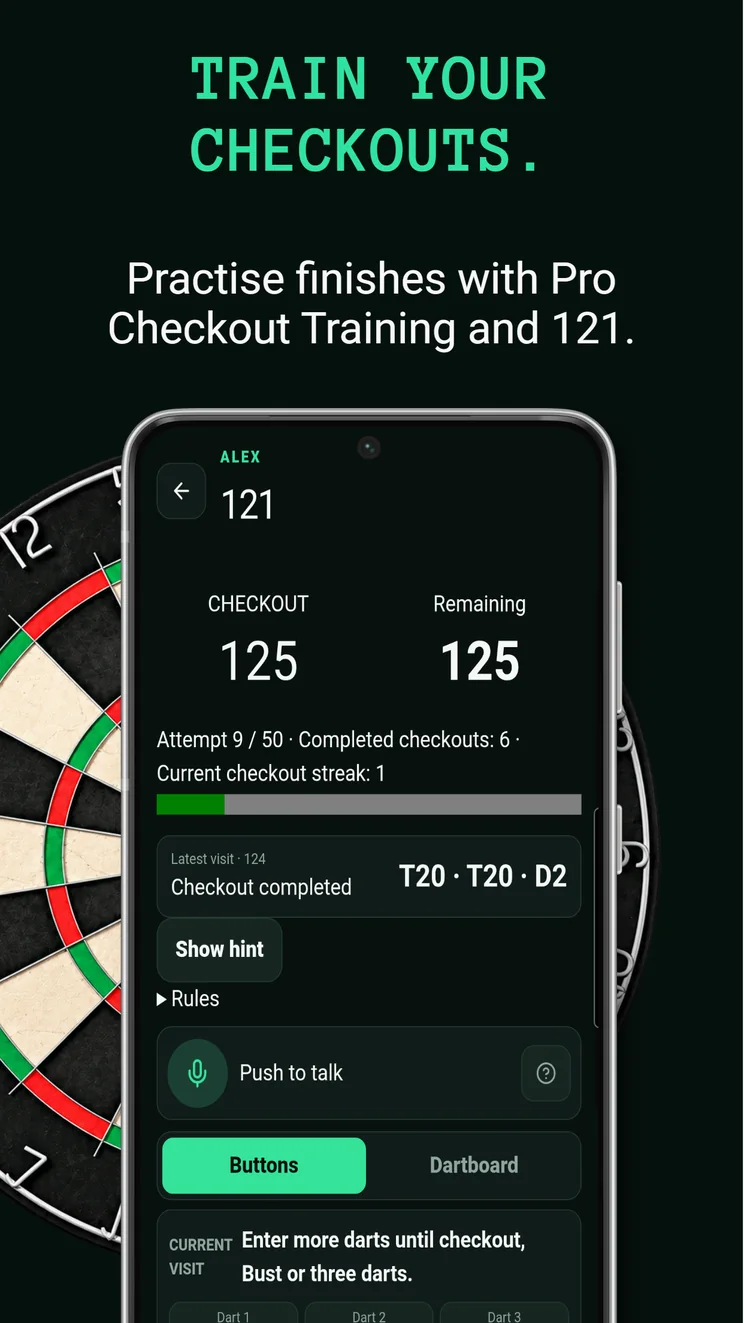
Practise valid double-out finishes with up to three darts per task and use the available hint when you need it.

121

Start at 121 and work through checkout tasks. Successes and unsuccessful attempts determine your next target.

Count-Up

Score as many points as you can over eight rounds and 24 darts. Compare your saved results.

Product images

See your game in action

Players, history & sessions

Pick up where your game left off.

Review the games you have played

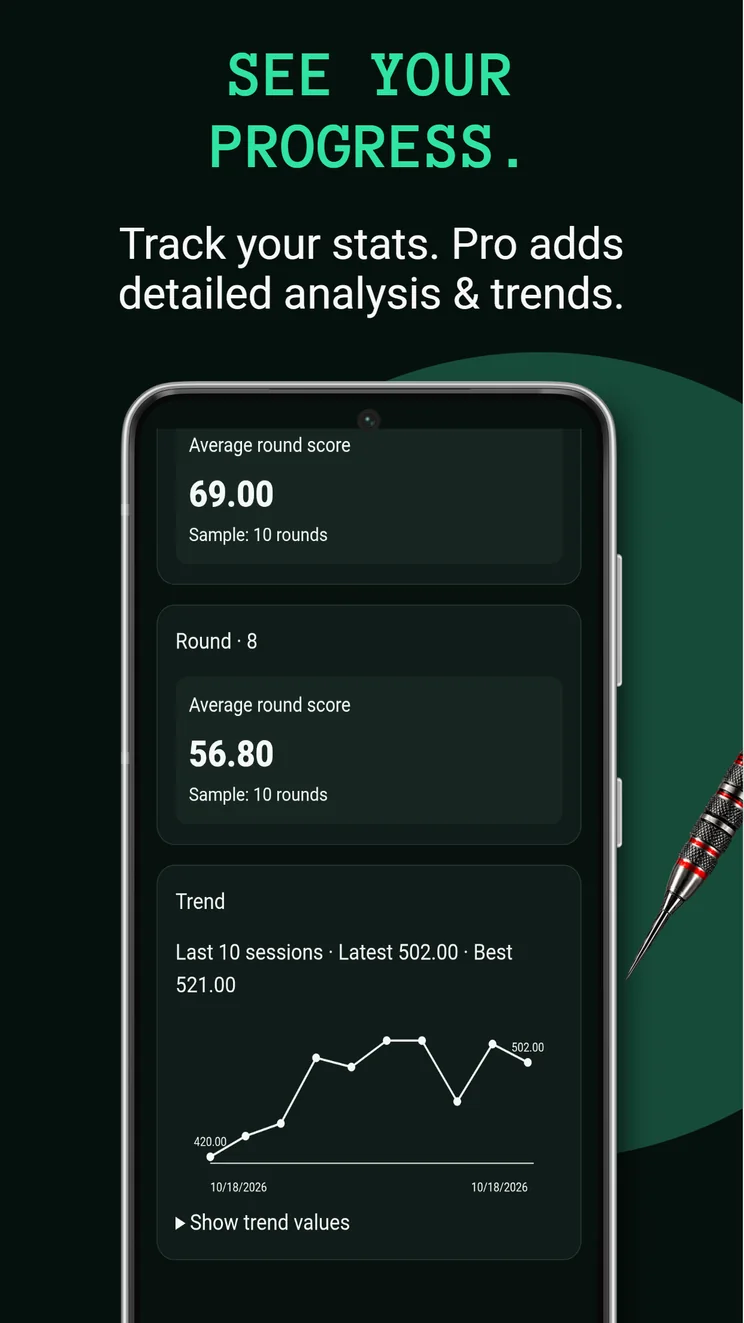
Select your local player profile and the relevant mode. Free shows basic figures such as X01 average, wins and productive Cricket MPR (marks per three darts). Pro adds detailed analysis and available trends. Statistics use completed saved results; missing dart details are not invented.

Continue saved games

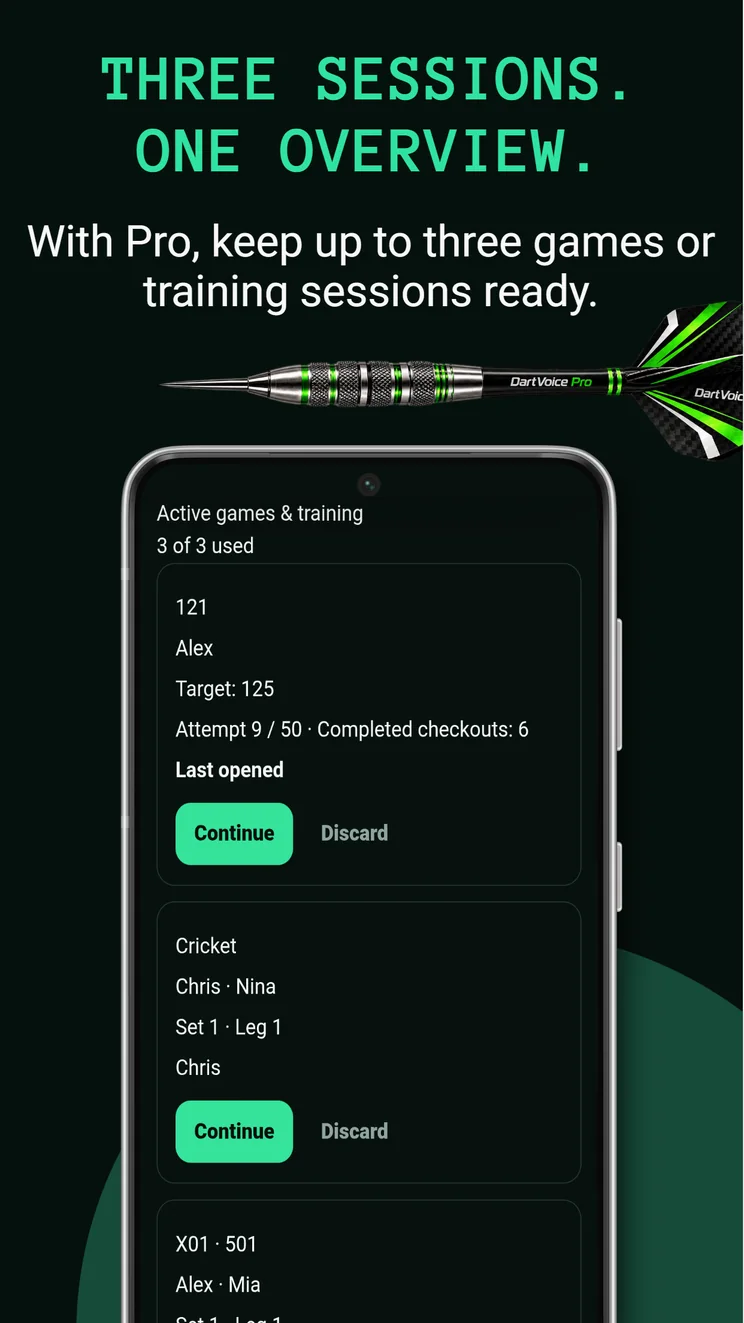
An unfinished game occupies an active slot: Free provides one, Pro up to three. Open the right session with “Continue”. After a restart, progress resumes from the last successful save; unconfirmed input is not part of that record. Completed results remain in history.

43 help topics · Expanded in 1.1

The explanation is already in the app.

From 501 and Cricket to CPU opponents, group stages, voice, statistics and big-screen output, the integrated help guides you through the features. Search topics in English or German and follow relevant links from app sections. All help topics are accessible with Free.

Version 1.1 also improves game controls, match continuation and general stability, bringing the new options into the existing playing routine.

Free & Pro Lifetime

Start free. Expand with one purchase.

Free

  • X01 and Cricket, including CPU opponents at all six levels
  • Voice and manual entry, Caller and X01 checkout assistance
  • Local profiles, history and basic statistics
  • Tournaments with up to eight participants
  • One active game or training session
  • All 43 help topics

A banner may appear on Home. After every two completed competitive legs across X01 and Cricket, an ad break may be offered at the result transition. Availability and app state determine whether an ad appears.

Pro Lifetime

  • All Free features
  • Five additional training modes
  • Advanced statistics and available trends
  • Tournaments with up to 32 participants
  • Up to three active games or training sessions
  • Ad-free use

Pro Lifetime is an optional one-time purchase, with no subscription. Google Play shows the current price before purchase. Restore purchases checks an existing entitlement; it does not recover deleted game data.

Ads do not interrupt an active leg or training. Training and X01 solo do not count towards the competitive-leg ad break. Tournament creation also depends on the installed app version supporting that format.

Local game records

Your matches do not need a DartVoice account.

Player profiles, game states, history and settings are stored locally on your device. Speech and Android backup services, Google Play, RevenueCat and advertising have their own data flows. The existing Privacy Policy explains the services involved.

Read the Privacy Policy

FAQ

Questions about DartVoice Pro 1.1

Is DartVoice Pro 1.1 available on Google Play?

Yes. Version 1.1 is publicly available on Google Play. The download button opens the Android store listing, where you can check availability for your device.

Can I play X01 and Cricket against the computer?

Yes. Enable Play against CPU in the relevant game setup, choose your profile and one of six difficulty levels. In Cricket, you can also choose who starts. The CPU takes its turns automatically, and the selected difficulty stays fixed for that match.

Do CPU opponents require Pro?

No. X01 and Cricket against CPU are included in Free at all six levels. An unfinished CPU match occupies an active session slot. CPU opponents are not tournament participants.

What can I do with multi-stage tournaments?

Plan successive group stages, individual qualification places and a final group or knockout stage. The plan is fixed once saved; qualification and subsequent stages are explicitly confirmed and released. All tournament fixtures use X01.

How many players can enter a tournament?

Free supports creating tournaments with up to eight participants, Pro up to 32. The installed app version must support the selected format. Saved tournaments retain their own rules and progress.

Can I enter scores without voice input?

Yes. Manual entry remains available. X01 supports visit totals and individual darts, while Cricket uses actual hits. A digital scorer does not automatically detect darts on your board.

How do Auto-listen and Caller work?

Auto-listen can start the next short recognition after a turn. The optional Caller speaks game information and, with X01 checkout assistance enabled, the displayed primary route. Recognition and spoken output remain configurable.

Is speech recognition always offline?

No. Your device and Android speech service determine processing; internet access may be needed and audio may be processed externally. DartVoice does not create raw audio files. Recognised text may be stored locally with X01 throws.

Which training modes does Pro unlock?

Around the Clock, Bob’s 27, Checkout Training, 121 and Count-Up. X01 and Cricket are already included in Free, and X01 solo is available without CPU.

Which Live and TV views are available?

Two-player X01 has a compact Live view with an optional large player display. Linked fixtures in classic and multi-stage group tournaments offer relevant tournament pages with manual selection or five-second rotation. Available views depend on the format and tournament state.

Will the external display work with every television?

No. Independent output requires a compatible Android Presentation display path and an explicit start in the app. Not every SmartView connection is suitable. Controls remain on the phone, and Caller audio follows Android’s system output route.

How many saved games can I continue?

Free provides one active session slot, Pro up to three. Open a saved session with Continue. After a restart, the last successfully saved state is used. Completed matches remain separately in history.

Is Pro Lifetime a subscription?

No. Pro Lifetime is an optional one-time purchase for five training modes, advanced statistics, up to three active sessions, tournaments with up to 32 participants and ad-free use. Google Play shows the current price. Restore purchases checks entitlement, not deleted game records.

Where is help, and how are game records stored?

The app includes 43 searchable help topics in English and German, accessible with Free. Players, game states, history and settings are stored locally without a DartVoice account. Speech services, Google Play, RevenueCat and advertising have their own data flows; see the Privacy Policy for details.

Your next leg is waiting.

Start free with X01 or Cricket – with friends or against the CPU.

View DartVoice Pro on Google Play